Gamification - An Awards Widget

Everyone likes recognition.  Everyone likes Badges.  Well here's a widget (maximised) that allows schools to filter to reg/teaching groups and display a summary of achievements for a date range.


Also, the report will show a Gold Rosette if the count is greater than a defined value (this is another changeable parameter within the report)

You may need to do a little configuring of the behaviour set up if you are not using categories.  Instructions are below.

Instructions:
1. Make sure you have at least one category set up (I've called mine "Badges")
2. Assign this category to the behaviour types you want to count up.
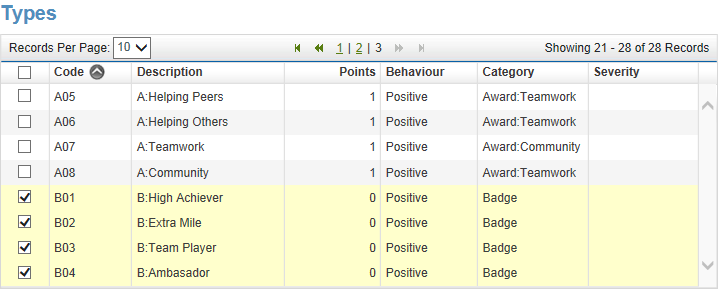
3. In the report/widget setting you can now select behaviour types for a selected category.


"Photos by Group (Landscape 8x4)" Report

This report has probably been done before, but I wanted my version to fit on the screen and print out perfectly (A4 Landscape).  I finally managed get it to fit correctly (about 30 seconds before launching my laptop out of the window) so it prints 8 x 4.

This is a pre-test before my next experiment with photos....

Behaviour Analysis + Maximised Widget = One click reporting

School: "Can we save the report parameters so we don't have to set them each time we run it?"
Progresso Geek: <thinks.....> Hmm <thinks a little more....> Yes.  By making the report a widget and maximising it on it's own dashboard you can.

A nice new feature of Progresso enables maximised widgets to remain maximised when returning to the dashboard they are on.  So once you've logged on, click "Once" on the dashboard of your choice and there's your report complete with saved parameters.

The example below is a simple behaviour analysis (graph & table) that allows users to view behaviour entry totals by data range, year, reg group and behaviour types.  Simply save the report to your school, create a widget linking to the report and then place it (maximised) on a dashboard all on it's own.

Try experimenting by selecting only one behaviour type, or making 3 dashboards (one for each term).

"Hands up who's having school dinners"

In the latest release of Progresso is the functionality to record Meal Type choice.  So here is a widget that can help the canteen know how many dinners to prepare (and how many are having other choices such as sandwiches).


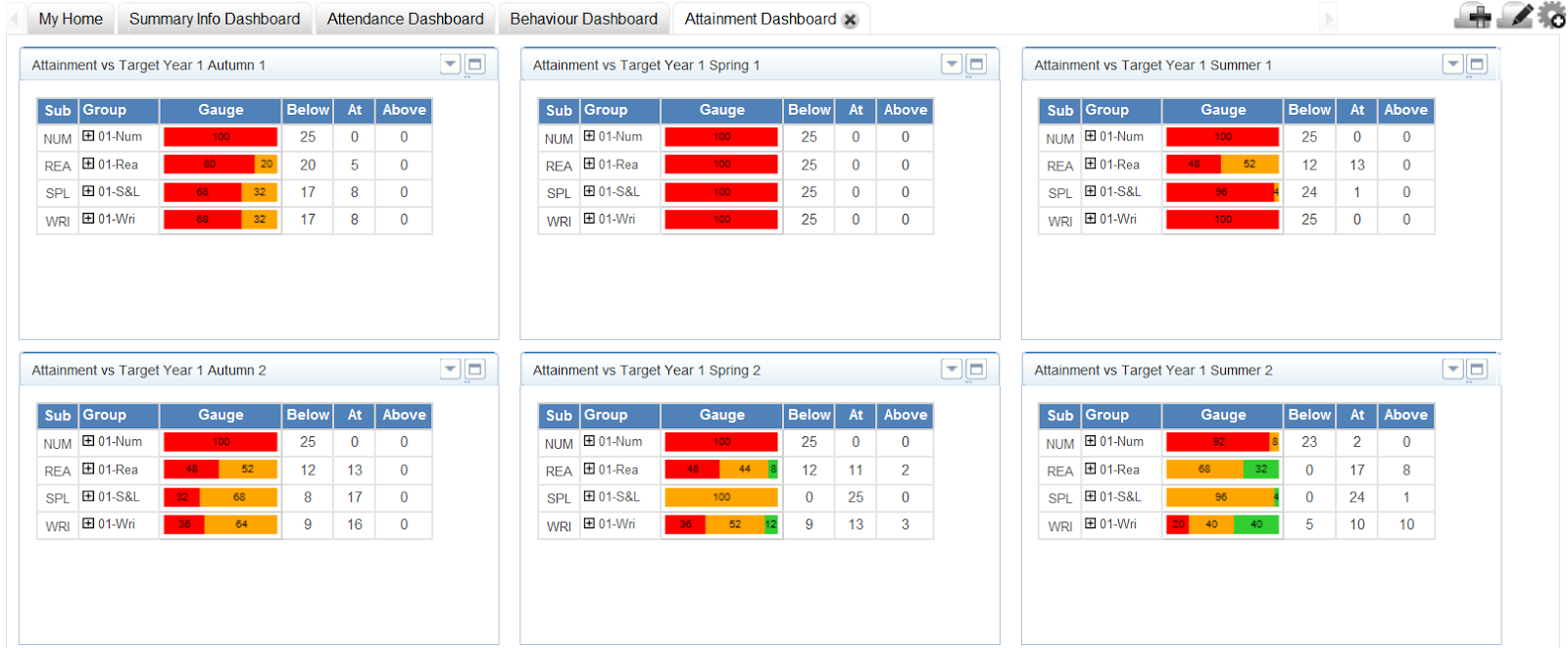
Here's a widget to quickly show students attainment levels

Information systems are all about providing information and not just entering information (or they should be).

Here's a widget that will simply display attainment levels against a target for selected group(s) and identify those above, at and below. Furthermore, each group can be expanded to show the individual learners and the number of points difference from the target (plus SEN and Pupil Premium identifiers)

How can this widget be used?

It could be used on a primary teachers dashboard as a method to quickly remind the teacher which children haven't met their target by displaying the latest recorded results (so that the teacher can allocate their resources accordingly)


It could be multiple times on an SLT dashboard showing a summary of progress for an entire year group.